
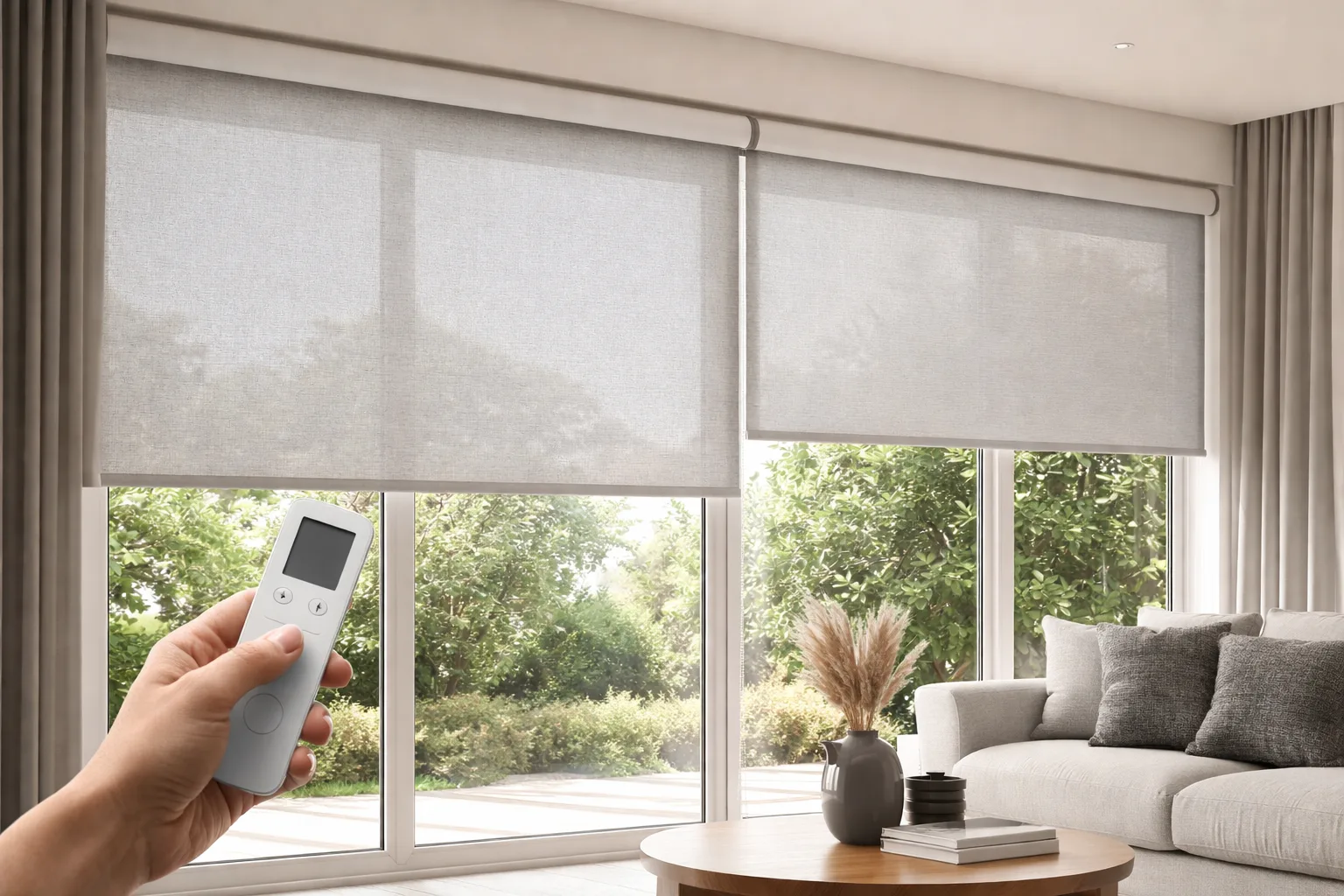

For most family homes, motorized blinds are worth it on the windows you adjust every day or can’t easily reach: bedrooms, big living room windows, and anything over a sink, tub or stairwell. Their real value isn’t the novelty. It’s that schedules, a remote or your phone quietly take care of a job someone in the house would otherwise do (or forget) several times a day, and they remove cords from rooms where kids and pets play. On a small, easy-to-reach window in a spare room, a manual or cordless blind is usually the smarter choice.
What Actually Changes Day to Day
Families who have lived with motorized blinds for a while rarely describe them as a gadget. They describe not thinking about blinds anymore. The shades open and close roughly when you’d want them to, and the remote or app is there for the exceptions.
Mornings without the scramble
A scheduled opening lets natural light into kids’ rooms at wake-up time, without anyone walking from room to room. On mornings when getting everyone out the door is the priority, that’s one small task off the list. The same schedule works in reverse at night, closing bedrooms at bedtime so nobody has to remember.
Hard-to-reach windows finally get used
Most homes have at least one awkward window: over the kitchen sink, above a stairwell, behind a large sectional, or a tall window in a two-storey family room. These are the windows that end up stuck in one position because reaching them is a hassle. With motorized control, they get adjusted through the day like every other window.
Fewer cords to childproof
Motorized blinds have no lift cords or loops hanging in the room. With toddlers and pets, that’s one less thing to childproof, and one less thing to untangle. If full motorization isn’t in the plan for every room, cordless blinds are a good way to keep the whole house cord-free.
Smart Home Features: What “Smart” Actually Means
Motorized blinds can be controlled in several ways, and you can mix them in the same house:
- Remote control: a handheld or wall-mounted remote, handy for grandparents, babysitters and anyone who doesn’t want an app.
- Smartphone app: adjust one blind or a whole group from the couch or from work.
- Schedules: set opening and closing times once, and some systems can follow sunrise and sunset as the seasons change.
- Voice control: works with assistants such as Alexa and Google Assistant, so “close the living room blinds” does exactly that.
- Smart home platforms: many systems can integrate with SmartThings, Apple HomeKit or Z-Wave setups, so blinds join the routines you already use.
- Light sensors: some systems can react to sunlight, lowering shades when a room starts to get bright.
If your household already has a voice assistant or a smart hub, adding blinds is usually a matter of pairing them rather than starting a new system from scratch.
The Features Families Actually Use
Scheduling is by far the feature that earns its keep. Homeowners set it up once and mostly forget it’s there, which is exactly the point. After that, the most useful features tend to be:
- Grouping: one command or button raises every blind on the main floor instead of walking room to room.
- Remote access: close the blinds while you’re away so the house looks lived in, or open them if the dog is home alone on a sunny day.
- Scenes: a “movie night” setting that closes the family room shades, or a “good morning” routine that opens the kitchen and living room.
Voice control gets used more than people expect in kitchens (hands full, window over the sink) and less than expected everywhere else.
Comfort and Energy: A Real but Modest Benefit
A schedule can close south- and west-facing shades before the afternoon sun heats a room, so the air conditioner doesn’t have to work as hard on hot days. In winter, closing shades at dusk helps keep warmth inside. Manual blinds can do the same thing in theory, but in a busy house they rarely get adjusted that consistently. Pairing motorization with an insulating fabric, such as honeycomb blinds, gets the most out of it.
Power Options: Battery, Solar or Wired
How the motor is powered affects both installation and upkeep:
- Battery motors need no wiring, which makes them the practical choice for most existing homes. They need recharging or new batteries from time to time, depending on how often the shade moves.
- Solar-powered motors use a small panel to top up the battery, which suits sunny windows and reduces how often you think about charging.
- Wired motors never need charging, but they need power at the window, so they’re easiest to plan during a renovation or new build.
Retrofit vs. New Build
In an existing home, the simplest route is usually made-to-measure motorized shades with battery or solar motors. There’s no opening of walls, and installation looks the same as any other custom blind. Whether an existing manual shade can be converted depends on the shade itself; in many cases a new motorized shade sized to the window is the more reliable result, and we’ll tell you honestly which makes sense when we measure.
In a new build or major renovation, it’s worth deciding before drywall goes up. That’s the moment to run power to window heads for wired motors, especially on large or tall windows you’ll want motorized for years. Even if you only motorize a few rooms at first, having power in place makes adding more later much easier.
Where Motorized Blinds Make the Least Sense
Being honest about this saves money. Small, easy-to-reach windows in a guest room, laundry room or rarely used space seldom justify motorization. The investment pays off on windows that are hard to reach, adjusted often, very large, or part of a daily routine like bedrooms and the main living area. Most families start with those and add more later.
Living With Them Long Term
Motorized blinds are low-maintenance, but not no-maintenance: batteries need charging, schedules need a check around the clock changes, and fabric needs the occasional dusting. Our season-by-season maintenance checklist for motorized blinds covers the routine, and if something stops responding, start with our guide to what to check when motorized blinds aren’t working.
Frequently Asked Questions
Are motorized blinds worth it?
They’re worth it on windows you adjust daily, windows that are hard to reach, and rooms where you want cords gone for safety. For a small window that’s rarely touched, a cordless manual blind usually makes more sense.
Do motorized blinds need Wi-Fi?
Not necessarily. A remote control works without an internet connection. Wi-Fi (usually through a hub or a connected motor) is only needed for app control, remote access and voice assistants.
What happens to motorized blinds in a power outage?
Battery and solar-powered motors keep working because they don’t rely on household power. Wired motors stop until power returns, and connected features may need a moment to reconnect afterwards.
Can I motorize only some windows?
Yes, and that’s how most families start: bedrooms and the most awkward window first, then the rest later. Mixing motorized and cordless blinds in the same home is common and can look perfectly consistent if the fabrics match.
Where to Start
You don’t need to motorize every window at once. Browse options on our motorized blinds page, then let us help you pick the rooms where it will make the biggest difference. We offer free in-home measurement and professional installation across Mississauga, Toronto and the GTA. Request your free quote and we’ll talk through power options, controls and which windows to start with.
[…] most window sizes and can be custom-made. For busy families, they offer a simple, stylish solution. Combine them with motorized blinds for extra convenience in your GTA […]